Case study 01
ARLO: land registration, moved online
A new service for the Government of Alberta. Law firms prepare land title documents in the browser, package them into a registration request, sign digitally and submit to the Land Titles Office.
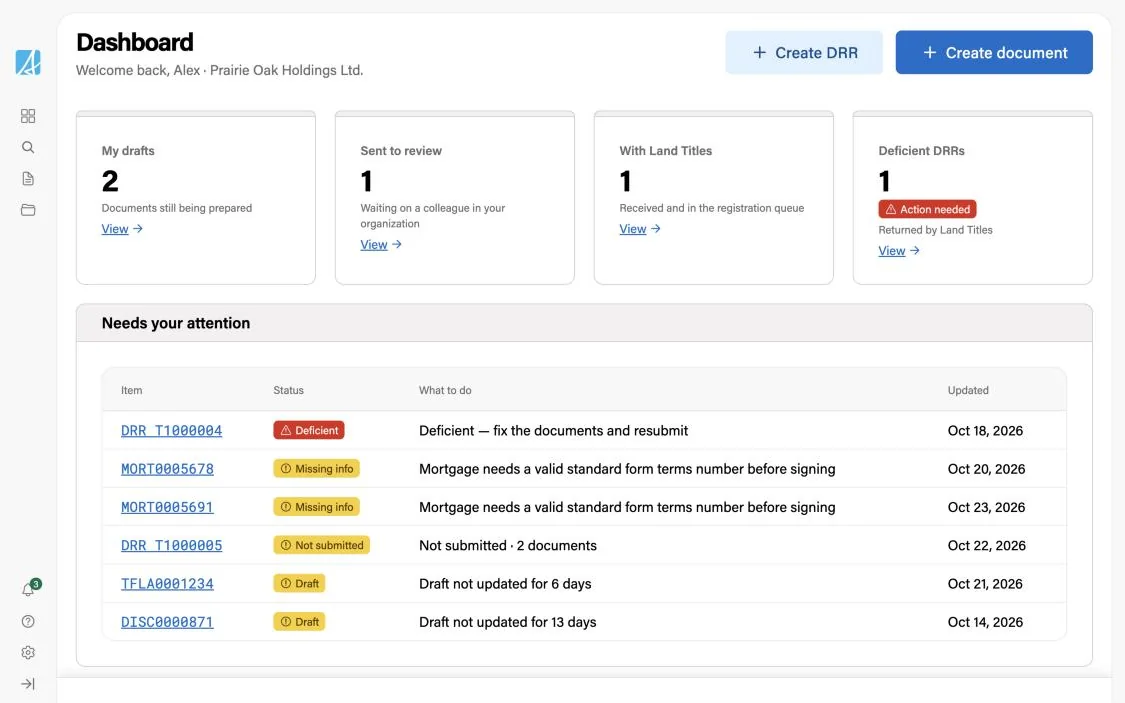
The problem
Registering land in Alberta ran almost entirely on paper. Lawyers filled in forms at the office, assembled the package, sealed it in an envelope and sent it to the Land Titles Office by courier.
The few firms that registered online used an older system with limited data entry: unusual cases simply could not be submitted, and nothing checked the data or the business rules. On paper and online alike, mistakes surfaced late, as a Notice of Deficiency, and a deficient request could lose its place in the queue.
- Forms filled in by hand
- Package assembled
- Sealed in an envelope
- Courier to Land Titles
- Limited data entry and forms
- Unique cases could not be filed online
- No checks on data or business rules
Every return meant fixing, re-signing and resubmitting, and more work in the Land Titles backlog.
Two sets of goals
The service had two clients with different needs. Land Titles wanted fewer returns and faster processing. Law firms wanted less paperwork and more certainty before they pressed submit. Both pointed at the same thing: catch problems at the moment of entry, not weeks later in examination.
Process faster, return less
- Fewer deficienciesFewer requests returned to firms for corrections
- Shorter processing timeLess time spent on each submission
- A smaller backlogFewer requests waiting in the queue
- Fewer errorsClean, structured data instead of retyped paper
Less paper, more certainty
- Less paperworkNo printing, envelopes or couriers
- No double entryEnter the data once, reuse it across documents
- Confidence before submittingData and rules checked while they work
- Timely notificationsAbout missing information and about registrations
What firms told us
We interviewed people at law firms who register documents every day, from partners who sign to staff who prepare five to ten registrations a day. Four themes shaped the product, and most of them pointed at validation and status.
Most rejections come from the documents, and they are often small
Names that don’t match across a transfer and a mortgage, a missing foreign ownership declaration, an expired commissioner, documents in the wrong order.
No one tells you when a request is registered or rejected
Staff check manually every day. A late rejection eats into the 30 days a firm has to fix it, especially when a lender has to sign again.
Firms dropped the old system because they typed everything twice
Data already lives in their conveyancing software. Every extra field is a reason to go back to paper.
The rules exist, but only in people’s heads
Which documents travel together and in what order changes over time. Users asked for the system to flag it while they work.
The constraints
Alberta uses the Torrens system: the government guarantees every title, and the moment documents are received sets their registration priority. The service had to support four ways to submit: entering data, connecting through an API, uploading signed scans and sending paper with a request created online.
Alberta has more than 150 types of land documents. We started with the eight most common, which make up about 90% of all submissions, so the first release covers most of the volume. The service launches in December 2026, with data entry open to the legal community for those eight types.
Everything my team submits is reviewed by a separate Examination team, so our data and patterns had to stay stable for them too.
What I did
As the only designer on the Submission team, I covered both service design and front-end design, from the blueprint to the components developers shipped:
- A service blueprint and the end-to-end flow, from first draft to registration
- Information architecture for documents and registration requests
- Flows and screens for eight document types and every request state
- How business rules reach the user: inline, by section, on the dashboard
- Design documentation and Figma reviews against every user story
- Front-end design: components, layouts, states and interaction patterns on the Government of Alberta Design System, refined with developers
- A coded, clickable prototype built on the same design system
- Usability testing of the proof of concept with 12 lawyers and paralegals
Learning the law first
Before drawing any forms, I worked through real ownership scenarios and wrote down who holds the title before and after. The same transfer form has to handle all of them, and each one changes what the form must ask and what the final document must print.
The simplest case: one title, one consideration, one new tenancy.
Reserved life estate holders need their own row in the output, separate from the transferees.
Only the half that moves is transferred, and the value entered is for that half, not the whole title.
Same parties and shares on both titles, so they combine into one document, but each parcel still prints on its own line.
Service blueprint
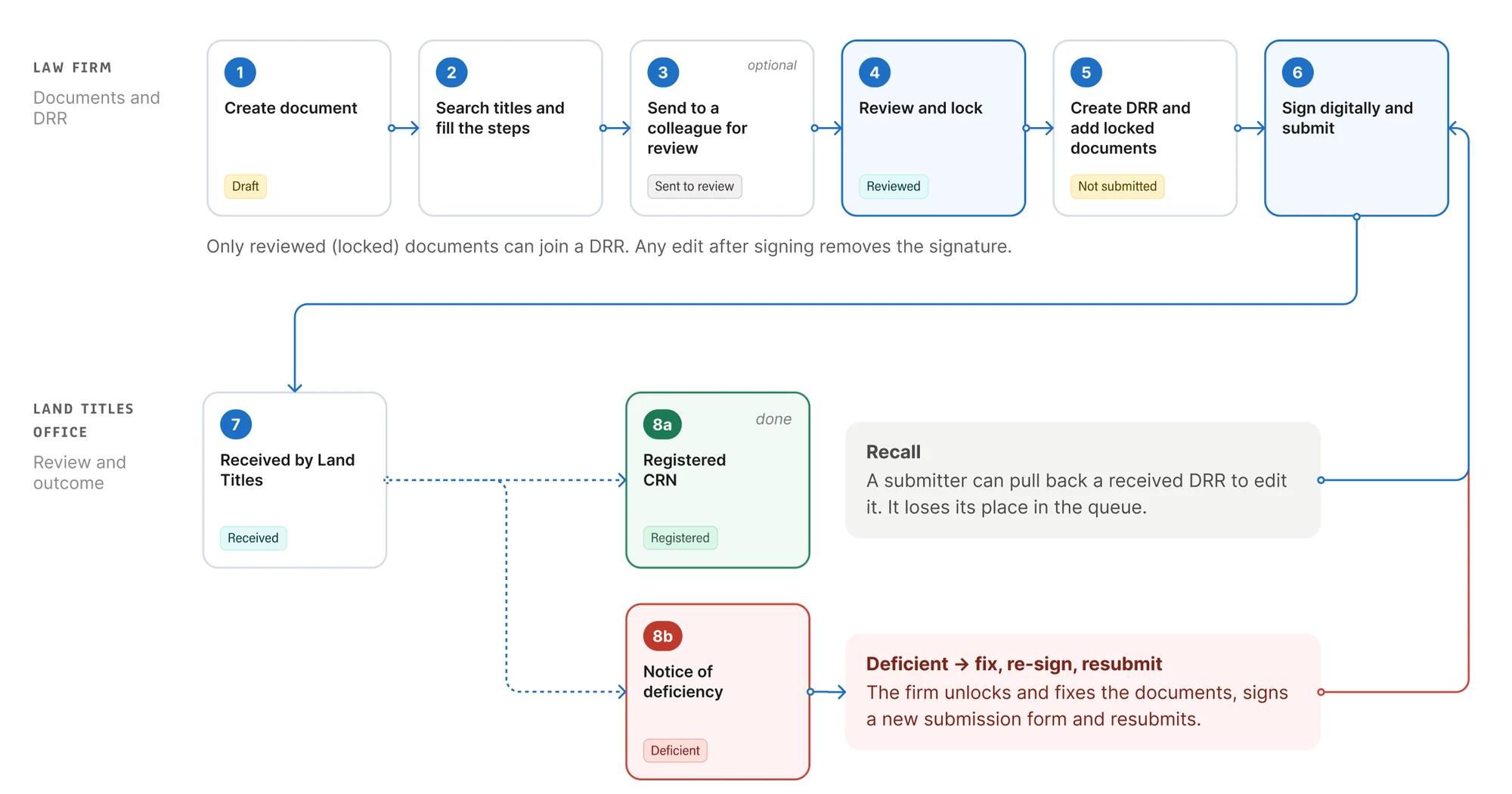
I mapped the service before the screens. The work splits in two halves: prepare and lock each document, then package locked documents into a registration request, sign it and submit it. The map gave every document and request an explicit status, with clear rules for what can happen next.
Scroll sideways to see all six stages →
The flow
The flow runs across two lanes: the law firm and the Land Titles Office. A document is created, filled in, optionally checked by a colleague, then reviewed and locked. Locked documents go into a registration request, which is signed and submitted.
Land Titles registers the request or returns it with a notice of deficiency; the firm fixes the documents, signs a new submission form and resubmits. A received request can also be recalled for edits, at the cost of its place in the queue. Each step carries the status the firm sees on screen.
Business rules
Every legal requirement in a land document becomes a business rule that runs on the server. The rules stop incorrect data before it reaches an examiner, which is exactly where firms said deficiencies came from. My job was to decide how each kind of rule shows up for the person filling in the form.
The team groups rules by when they run. Each kind needed a different answer in the interface.
Basic rules
Keep the data valid: types, required fields, lengths, such as an address line of at most 80 characters.
In the interfaceLimits shown next to the field before anyone types, so the rule rarely fires.
Conditional rules
Run only when something happens: approving a document, creating or submitting a request. Most legal checks live here.
In the interfaceDrafts save freely. Issues appear at approval, under the field and grouped by section.
Examination rules
Flag possible reasons to reject for the examiner. Each result is stored with its own history of decisions.
In the interfaceReach the firm as reasons in a deficiency notice, linked to the document to fix.
Registration rules
Protect a title once it is registered, so registered data can no longer change.
In the interfaceA read-only request: actions stay visible but disabled, so people see what is no longer possible.
One rule, three places
Every rule is written the same way: a condition, the check itself, a short message, a longer message, the field it belongs to and a category. I mapped each part to a place on the screen, so developers could add a rule without designing a new error.
The same result then appears where the person needs it: under the field while they work, by section on the document page before approval, and on the dashboard when they come back.
- Condition
- When the mortgage is approved
- Check
- Standard form terms number is valid
- Message
- Enter a valid standard form terms number
- Detailed message
- Mortgage needs a valid standard form terms number before signing
- Field
- Standard form terms number
- Category
- Mortgage details
Enter a valid standard form terms number
Check before approving
The service can run the approval rules on a document without saving it. The form uses this to show issues while someone works, instead of all at once at the end.
Categories roll up to sections
Rule categories are fine-grained; the document page shows sections. I mapped one to the other, so a person sees which part of the document to open.
Wording people act on
Each message says what to fix, in the person’s terms, not the rule’s. “Enter a valid standard form terms number”, not “Validation failed: SFTN”.
The prototype
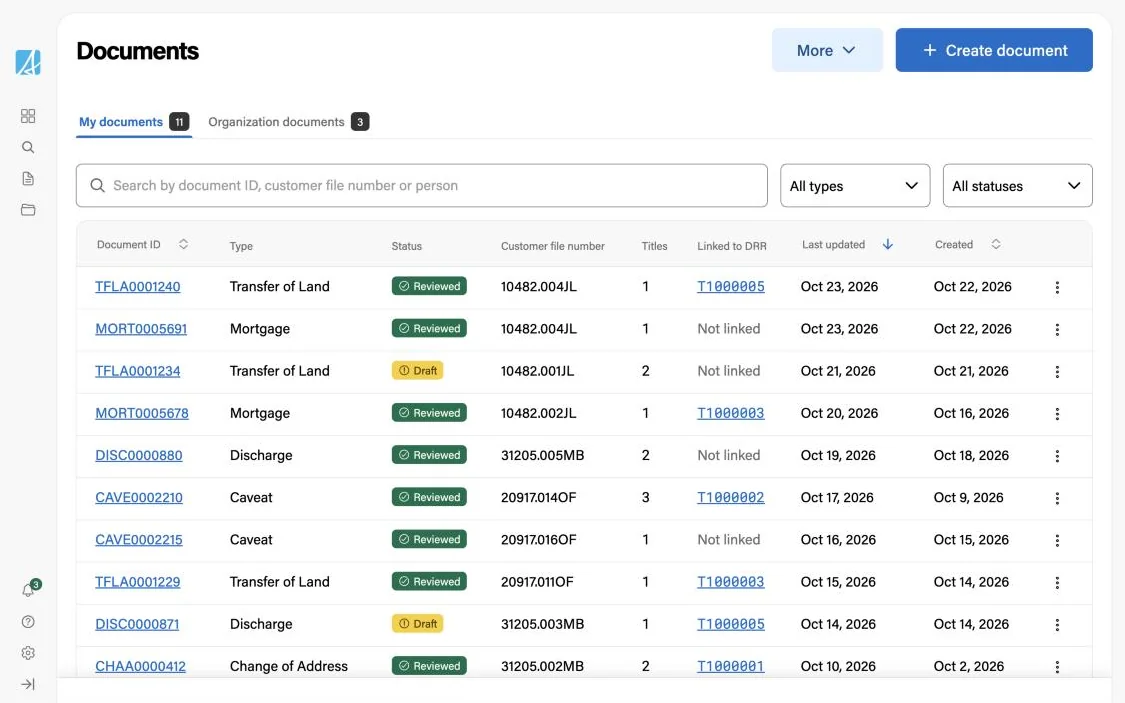
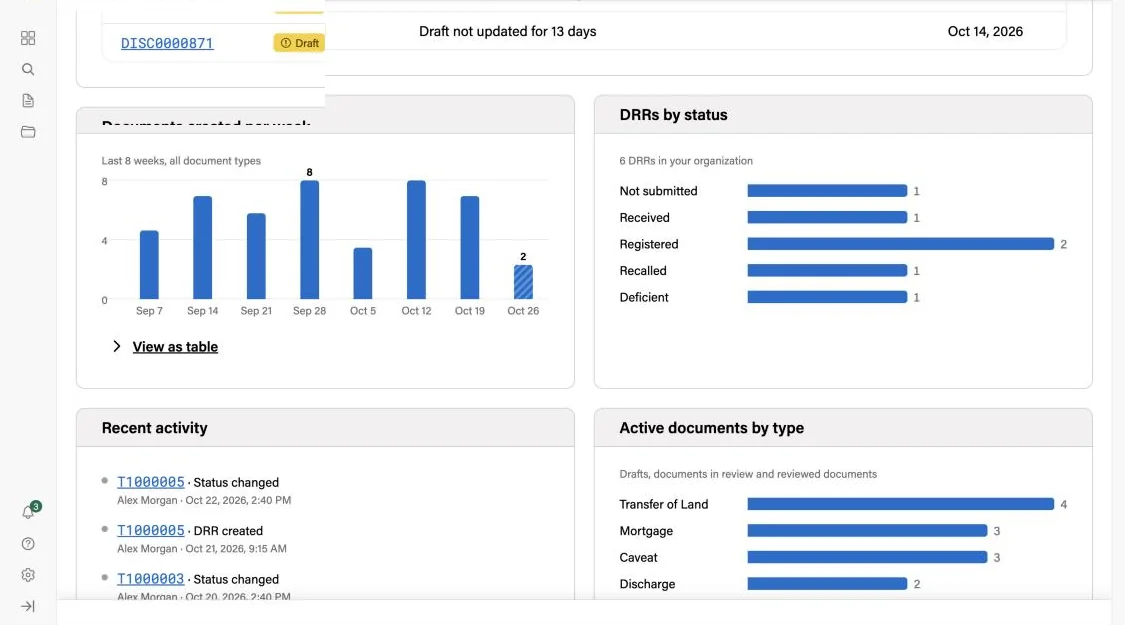
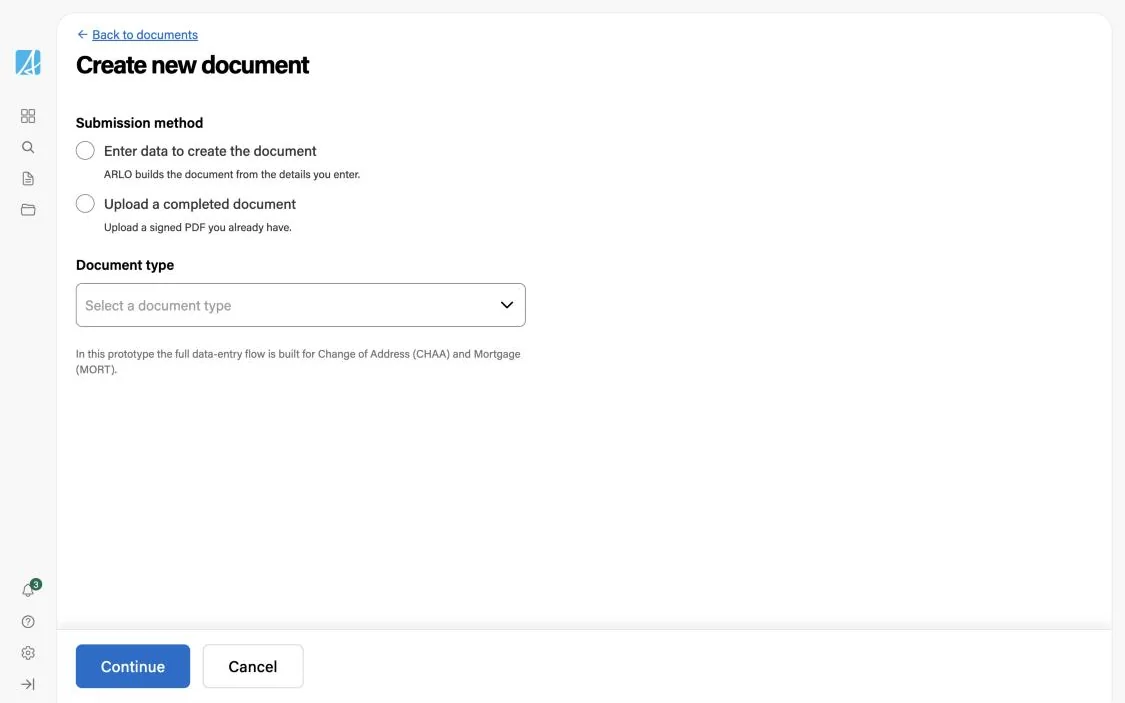
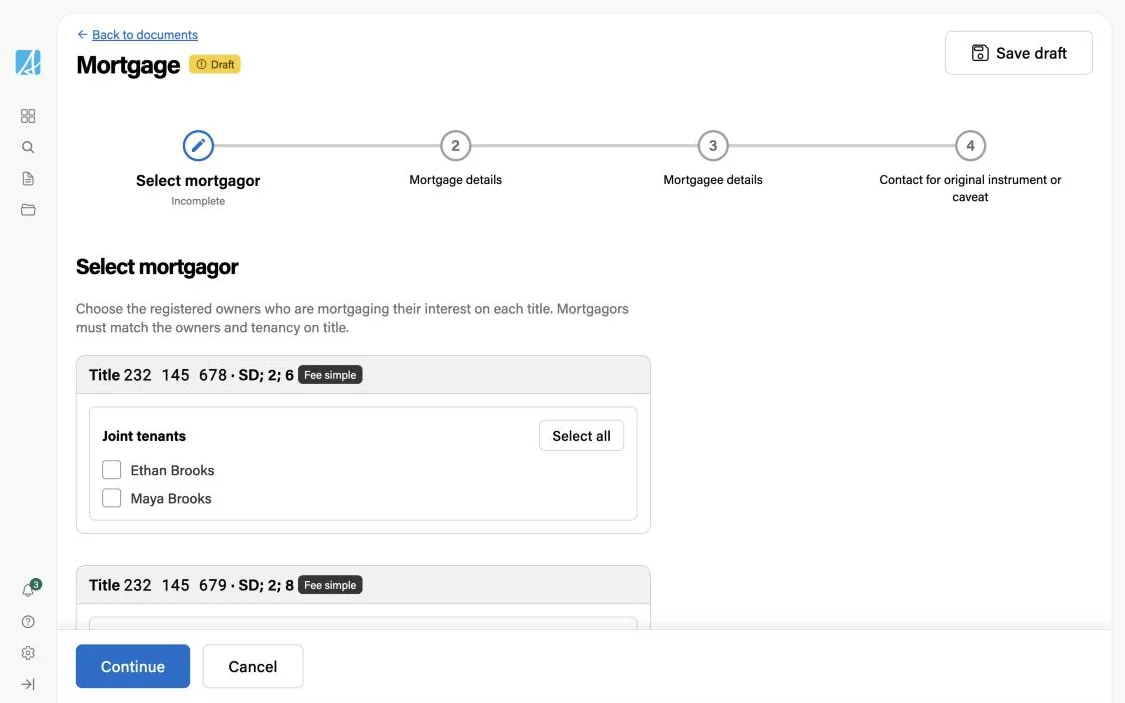
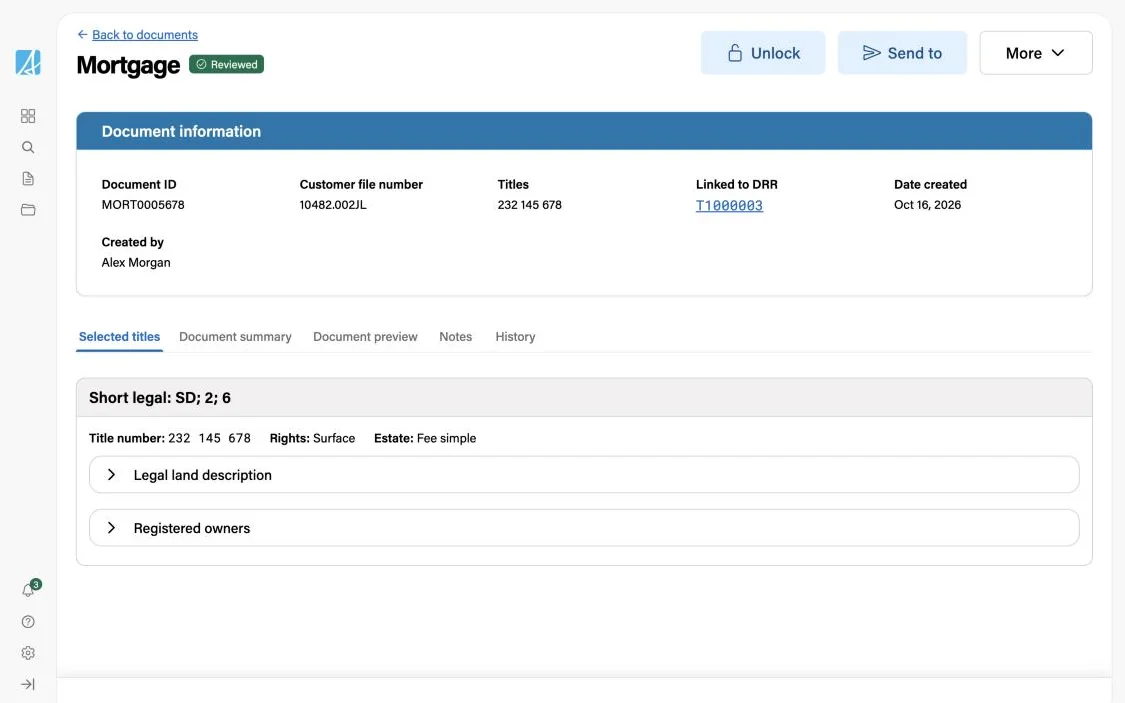
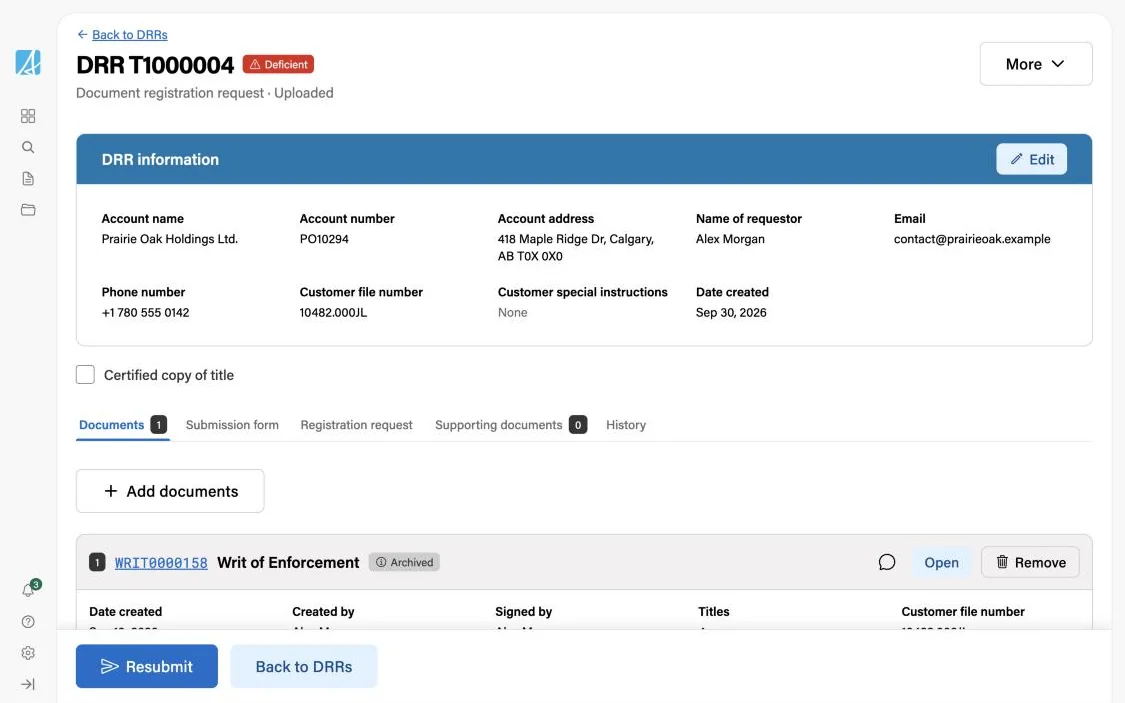
I built a coded prototype on the Government of Alberta Design System, so analysts, policy and developers could click through real flows instead of reading static frames: the dashboard, documents, a document wizard, request pages and every status.
Testing with lawyers
Before full development, we tested the proof of concept with 12 participants, lawyers and paralegals who register land every day. I wrote the test plan, with task scenarios and interview questions, and ran the sessions together with the service designer: watching how people worked, and noting where they hesitated.
I then co-authored the usability report, with the pain points we found and recommendations to fix them before the build.
- 01Create a documentPick the type and fill in the data
- 02Approve it with a lawyerHand the draft over for review and sign-off
- 03Create a submissionGroup documents into a request to Land Titles
- 04Add documentsAttach more documents to an existing submission
- Test plan: scenarios and interview questions
- Sessions, run with the service designer
- Co-authored report: pain points and recommendations
Outcome
Launching December 2026. One designer, end to end: the service model, the front-end design of every flow and state, how every business rule reaches the user, and a coded prototype the whole team worked from.
Next project
Sezlik